Skip to content
8999u Sports / Live
LIVE LOBBY

8999u — Live Games, Slots and Cricket Betting for Bangladesh

Slots from PG Soft and Habanero, live dealer tables, and IPL and BPL cricket markets are all inside one account — funded directly through your bKash or Nagad wallet. Access is subject to your local law and eligible regions; where it applies, your deposit path is already configured and waiting.

bKash Nagad Rocket
Browse games
CONTENT / 01

Games Our Members Open First

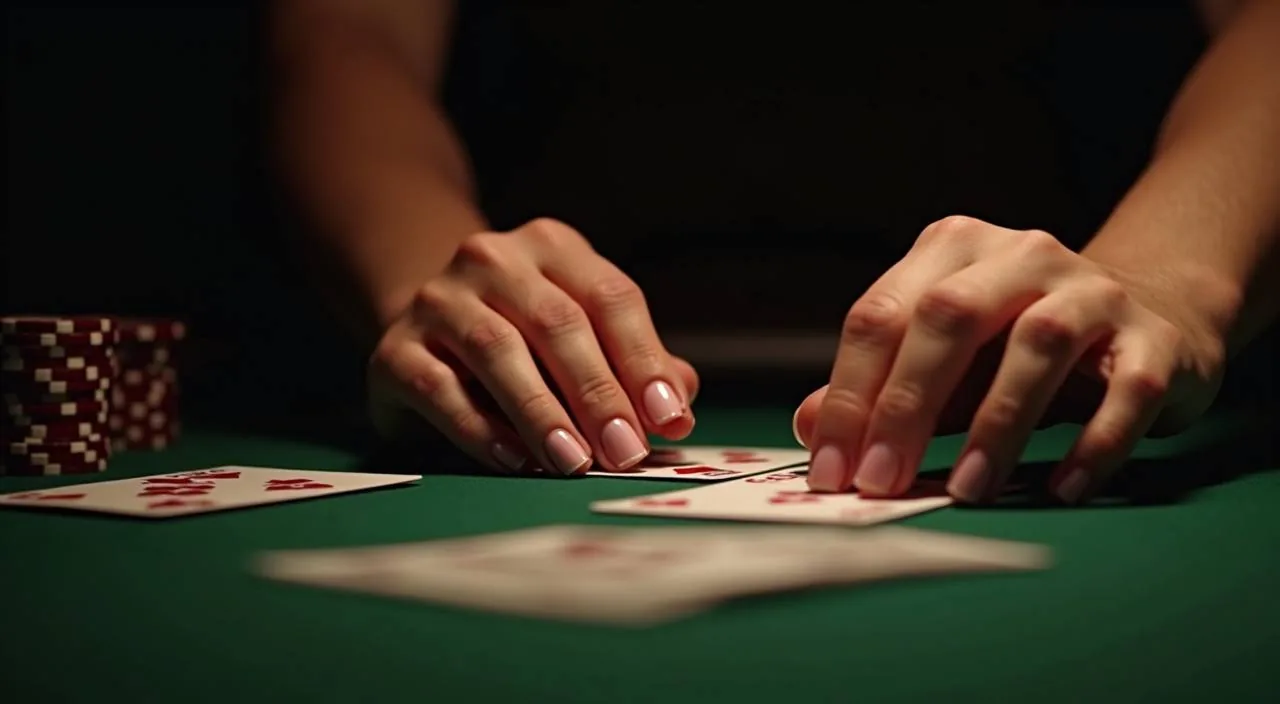
Baccarat CasinoHub draws consistent traffic because the live dealer format keeps each round visible and traceable — you can see every card dealt, which matters when you are tracking your account activity. When you return to a session, the lobby remembers your recently opened tables, so you can resume without searching through the full category list. Each live table also displays the current round status, meaning you can judge whether to enter at the start of a new hand or wait. If a connection drops mid-round, the system records the state of the game at that point, and you can verify the outcome against your transaction history once the session closes.

  • Baccarat CasinoHub

    A live dealer baccarat table where every card is shown in real time. Round history is visible on screen, so you can check your recent activity without leaving the table view. Runs in the mobile browser without any extra install step.

  • Slot Rushspin

    One of the slot-feature rooms built on PG Soft content. Gameplay appear when the game mechanics trigger them — the game itself displays the conditions. Load it from the lobby on any Android or iOS browser for a full-screen session.

  • Crash Zap

    A crash-format game with short rounds and a clear multiplier display. Each round settles quickly, and your result posts to your account transaction record immediately after the round closes. Good for a focused session on a smaller screen.

DISCOVER / 01

Choose your game

Full lobby
CRICKET AND SPORTS

IPL, BPL and International Cricket Markets

Cricket is the sports category our Bangladesh members follow most, and the sportsbook reflects that. IPL and BPL match markets sit alongside international fixtures, with the same account wallet funding both your sports bets and your casino rounds. Within each match market you will find multiple event types beyond the outright winner, including over and under totals tied to specific innings and session periods. Markets for international fixtures follow the same wallet and account structure as domestic competitions, so switching between an IPL game and a Test match does not require any separate balance or profile. Settlement timelines for each market type are described in the account help section, and you can check the status of any open position from the active bets view inside your account.

  • IPL Cricket Markets

    Indian Premier League match markets available through the sportsbook tab inside your account. No separate wallet needed — the same balance that funds your slot rounds covers your cricket bets. Markets shown depend on live availability and your eligible region.

  • BPL Match Betting

    Bangladesh Premier League fixtures appear in the sportsbook when the tournament schedule is active. Access the markets through the sports tab in your account. Odds and availability are set by the sportsbook at the time of the fixture, not pre-published.

  • Football Lucky Bet

    A sports-format game for members who follow football alongside cricket. Find it in the sports or games section of the lobby. Results are posted to your account record after each round closes, and no separate app or login is required to access it.

GAME NETWORK
PG Soft
JDB
Microgaming
Habanero
Bigtime Gaming
CONTENT / 04

8999u lobby studios

The 8999u lobby carries content from PG Soft, JDB, Microgaming, Habanero, Bigtime Gaming. To check the studio, rules or features of one specific game, open that game card or the published information panel.

  • PG Soft

  • JDB

  • Microgaming

  • Habanero

  • Bigtime Gaming

ACCOUNT DESK

Account information

Review current account information after signing in.

Login
8999U
Mobile casino lobby
Popular Live Slots
BPL Night Match Live Poker Action Dhaka Live Table
MOBILE LOBBY

Built for phones, clear on desktop

Cards, tables, FAQ and policy pages stay easy to read on smaller screens.

  • Quick categories
  • Mobile first
  • Access
App
CONTENT / 03

Your Full Account in the Mobile Browser

There is no separate app to download before you can use the lobby. The full account — games, wallet, transaction history, support — loads through the browser on Android or iOS. Type the 8999u address into your mobile browser, sign in, and the lobby layout adjusts automatically to your screen size.

  • Browser-Based Access

    Open the lobby in any current mobile browser — Chrome on Android and Safari on iOS both work without extra configuration. No app install is required. The lobby layout scales to your screen size automatically, keeping the game catalogue, wallet and account navigation accessible from the same view.

  • Wallet on Mobile

    Your bKash or Nagad deposit goes through the payment section inside the mobile account view. The fields, limits and verification steps shown on screen at the time of your transaction are the ones

  • Multi-Device Account

    Your account follows your login, not your device. Sign in from a phone, tablet or desktop and your balance, game history and settings are the same across all of them.

LOCAL PAYMENTS

bKash and Nagad as Your Primary Deposit Path

bKash is the primary deposit route on 8999u for Bangladesh members, and Nagad is the configured alternative. Both are available in the payment section of your signed-in account.

  • bKash

    Select bKash in the deposit section, enter your amount, and complete the transfer to the number shown on screen. The confirmation from bKash is your record — keep it until the balance appears in your account. If it does not appear, report the bKash transaction reference to support.

  • Nagad

    Nagad works as a full alternative to bKash. Open the deposit screen, choose Nagad, and follow the fields shown. Complete the transfer from your Nagad app using the details provided. Transaction records from both your Nagad app and your 8999u account history serve as confirmation of the deposit.

  • Rocket

    Rocket is available for members who use Dutch-Bangla Bank's mobile wallet. Select it from the payment options screen, follow the steps shown, and complete the transfer. As with other wallet routes, keep your Rocket confirmation reference until the deposit registers in your account balance.

  • Bank Transfer

    For members who prefer a direct bank route, Bank Transfer is listed in the payment section. The account details and reference instructions are shown on screen when you select this option. Processing times for bank transfers depend on your bank and are not controlled by the platform.

Banking
ACCOUNT PATH

From Registration to Your First bKash Deposit

Getting from a new account to a funded wallet is a short sequence. Start at the registration screen: enter your email address, set a password, and confirm the email verification that arrives in your inbox. Once your email is confirmed, complete the account profile fields that are marked as required before you proceed to the wallet section. Navigate to the deposit screen, select bKash or Nagad, and follow the on-screen steps that match the payment interface on your phone. After the transaction is submitted, a reference number is generated on the payment provider side — note this number and keep it until the wallet balance has updated and the transaction appears in your account history, since support will ask for it if any follow-up is needed.

  1. Step 1 — Register

    Open the registration page and enter your email address and a password. A confirmation email will arrive — open it and click the verification link. This confirms your email as the login credential and unlocks the deposit section of your account.

  2. Step 2 — Complete Your Profile

    After email confirmation, log in and fill in the profile fields shown in account settings. These fields are required before the payment section will process a deposit. Follow the instructions on each field; do not skip any marked as required or the deposit screen may not proceed.

  3. Step 3 — Choose Your Wallet

    Open the deposit screen and select bKash or Nagad depending on which wallet you use. The screen shows the transfer details — account number or QR and any reference code. Copy these exactly into your wallet app transfer before confirming. A mismatch in the reference can delay the credit.

  4. Step 4 — Confirm and Check History

    Complete the transfer in your bKash or Nagad app. Return to the 8999u account and open the transaction history tab. Your deposit will appear there once the network confirms it. If it does not appear within the window shown on the deposit screen, contact support with your wallet transaction reference.

MEMBER DESK / 06

Offers, support and account controls

01

Game lobby

02

Payment guide

03

Support

TRUST / 03

How to Reach Support When You Need It

Support is available through the account help section when you are signed in. This is the route we recommend for payment queries because you can attach your bKash or Nagad transaction reference directly in the message, which is what the support team needs to trace a deposit.

  • Signed-In Account Help

    The fastest support route for payment and account queries is the help section inside your signed-in account. You can attach a transaction reference or describe the issue in detail. The team reads the account context alongside your message, which reduces the number of follow-up questions needed to resolve the issue.

  • Public Contact Form

    If you cannot sign in or have not yet registered, the public contact form accepts queries without a login.

  • Account Recovery

    Lost access to your account? The password reset link on the login screen sends a recovery email to the address you registered with. This covers most standard access issues without needing a support ticket.

Learn more →
ACCOUNT AND FAIR PLAY

How We Keep Your Account Experience Consistent

The four points below reflect how we have structured the account experience for Bangladesh members — not as marketing claims but as operational facts you can check from inside your own account.

  • Transparent Transaction Records

    Every deposit and withdrawal made through bKash, Nagad, Rocket or Bank Transfer appears in your account transaction history with a timestamp. You can cross-reference the platform record with the confirmation from your wallet app at any time. This is the document trail we rely on when resolving payment queries.

  • Studio Game Integrity

    Game outcomes for slots and table games from PG Soft, JDB, Microgaming, Habanero and Bigtime Gaming are determined by the mechanics built into each title by the studio. We do not modify round results.

  • Region and Access Clarity

    Access to the platform depends on your local law and whether your region is covered. We do not claim universal availability. When you register, the account system applies the region settings relevant to your location.

  • Account Control in Your Hands

    Your account settings let you review your profile, update contact details and manage your session. Payment limits and verification steps are shown in the deposit and withdrawal screens as configured for your account type.

PLAYER INDEX / 07

Key Terms for Your Account and Wallet

These entries explain the specific terms that appear in the payment and account sections of 8999u. They are written for Bangladesh members who use bKash or Nagad and want to understand exactly what each label means before acting. Pending balance refers to an amount that has been received by the payment system but has not yet been confirmed and credited to your usable wallet. Available balance is the figure you can act on immediately. Transaction reference is the unique identifier your bKash or Nagad app displays after a transfer is completed; this is distinct from any internal reference that 8999u generates on its own side. Settlement means the process by which a completed sports market result is calculated and the corresponding wallet adjustment is applied to your account, which you can monitor from the transaction history screen.

Player guide and glossary
  • What does 'transaction reference' mean on the deposit screen?

    A transaction reference is the unique identifier your bKash, Nagad or Rocket app assigns to each transfer you complete. It looks like a string of letters and numbers — for example, the TrxID shown in your bKash confirmation message.

  • What is a 'wallet balance' in the context of the 8999u account?

    Your wallet balance on 8999u is the amount available in your account to place bets or enter games.

  • What does 'eligible region' mean when checking an offer?

    Eligible region refers to the geographic and legal criteria your account must meet for an offer to apply. Not every offer shown in the lobby is available to every account. The platform applies region settings at registration based on your location.

  • What does 'RTP shown in-game' mean on a slot title?

    RTP stands for return to player — a percentage that describes how much a slot game returns to players over a very large number of rounds, on average.

  • What is the difference between a 'deposit' and a 'withdrawal' on the platform?

    A deposit moves funds from your external wallet — bKash, Nagad, Rocket or a bank account — into your 8999u platform balance, making it available for games. A withdrawal moves funds in the opposite direction: from your platform balance back to your nominated external wallet or bank account.

  • What does 'account verification' require?

    Account verification is the step where you confirm that the details on your account match the identity attached to your payment method. The fields required are shown inside the account settings screen after registration. Verification is usually needed before your first withdrawal.

Full glossary
LOBBY / 02

One mobile lobby, distinct game areas

BPL Night Match Sports BPL Night Match Access → Live Poker Action Live Live Poker Action Access → Dhaka Live Table Slots Dhaka Live Table Access → Football SpeedBet Sports Football SpeedBet Access → Crash Pulse Slots Crash Pulse Access → bKash MoneyPass Slots bKash MoneyPass Access →
EXPLORE FURTHER / 04

Explore detailed guides

Local lobby check

QUICK ANSWERS

Frequently asked questions

These questions cover the account and payment situations that come up most often for members in Bangladesh. Each answer points to a specific action you can take — in your account, through the wallet app or via support — rather

Read FAQ →
How do I deposit using bKash on 8999u?

Sign in to your account, open the deposit screen and select bKash from the payment options. The screen will show a bKash number and a reference code.

Can I use Nagad if I do not have a bKash account?

Yes. Nagad is configured as a full alternative deposit route. The process is the same as bKash: select Nagad on the deposit screen, read the transfer details shown, and complete the payment from your Nagad app. Your account balance updates once Nagad confirms the transfer.

My deposit went through on bKash but my balance has not updated. What should I do?

First, check the transaction history tab in your account — sometimes the update takes a moment after bKash confirms on their side. If the history shows nothing after a reasonable wait, go to the signed-in help section and submit a query.

Do I need to download an app to access the lobby on my phone?

No app download is required. The full lobby — games, wallet, account settings and transaction history — is accessible through the browser on your Android or iOS phone. Open the 8999u address in Chrome on Android or Safari on iOS, sign in, and the lobby loads in a mobile-optimised layout.

How do I check my transaction history for a past deposit or withdrawal?

Sign in to your account and look for the transaction history or account history section — the exact label depends on the account view, but it is inside the account or wallet area.

Which game studios are available in the 8999u lobby?

The lobby carries content from five studios: PG Soft, JDB, Microgaming, Habanero and Bigtime Gaming. These studios supply slot titles, live dealer tables and table-game formats. You do not navigate to a separate section for each studio — all titles sit in the main game catalogue.

Is cricket betting available, and how do I access it?

Yes, cricket is available through the sportsbook section of your account. IPL and BPL match markets, along with international fixtures, are listed in the sports tab when those markets are open.

What should I do if I cannot sign in to my account?

Use the password reset link on the login screen. It sends a recovery email to the address you registered with. Open the email and follow the link to set a new password. If the email does not arrive within a few minutes, check your spam or information folder.

READY WHEN YOU ARE

8999u game lobby

Access may be available only where local law permits.

Register Login